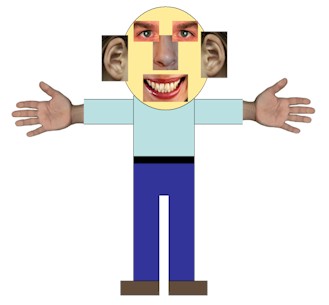
Here is my final interactive object in action. After watching some of my friends play it in the hostel I am pretty pleased with the final result as they found it very challenging and kept snapping or about to snap when they weren't meant to. Very entertaining.
Showing posts with label DSDN112_p1_Hand-in. Show all posts
Sunday, 19 August 2012
Project One: Eight Images
Friday, 17 August 2012
Project One: Written Explanation
Shnap!
Shnap is a new version of the card game snap. Instead of using numbers and suits this game uses shapes and colours. When playing the game I want players to feel challenged. Do you see the shape or the colour first? Does the colour of the shape make you want to snap? The purpose of this game is to show the relationship between colour and the sense sight. Sometimes colour can effect the way someone reacts to a situation. In this case I am testing to see if colour influences the players decision of when to snap. If they see two cards with the same colour will they automatically think snap even though the colour is irrelevant?
Instructions
This card game is for 2-4 players ( 2 players is recommend). Deal the deck of cards out evenly between the players. One at a time each player place a card on the mat. Players must race to be the first to yell "Shnap!" and put their hand on the pile after noticing a match on the mat. A match consists of two cards with the same shape on it. The shapes have to be either both coloured in or both outlined to count as a match. The colour of shapes is irrelevant. If you are the first player to yell and put your hand on the pile then you win the cards to add to your pile. The first player to collect the entire deck is deemed the winner. Be sure to snap correctly or the other player will get the cards on the table.
Thursday, 16 August 2012
Project One: Interactive Object Process
I have finally come up with the design for the cards, box that the cards go in and the rule book. Overall I am very pleased with them. I think the pattern I made communicates that this game is fun. I have just about finish everything for my interactive object but I am yet decide if I will have 96 cards which I have made or cut the number down to 52 so that they can fit in the box. I am also still deciding on what I could use for a playing mat. I thought about making one but I might just go find some cheap scrap material instead and use that.
Example of the cards:
Card game rule book:
Box for the cards:
Monday, 13 August 2012
Project One: Process For Image On Back Of Cards
After finding some inspiration I have come up with a pattern which I would like to use on the back of each card. I decided to hand draw the pattern and then edit it in illustrator. I like how it isn't perfectly drawn but I do think I will do another just to see what looks better. I am yet to decide if I prefer the white outline or black outline at the moment I am thinking of using the white outlined one. Something else I would like to consider adding to it is the name of the game. I have done a brainstorm below of names that I have come up with.
Backing Image Design:
Game Name Brainstorm
I like the name shnap combining both shape and snap together. I have had a little look at possible fonts that I could use. The fonts that I liked the best are shown below. I am not yet too sure what font I will use.
Font Considerations:
Project One: Inspiration For Final Object
I feel like my interactive object is too boring so I have found some inspiration which I thought could be fun to use as a backing image on the cards, like how in a pack of cards they have the pattern on the back of them. Going along with the theme of colour and shapes I thought these images fitted in perfectly. Mike Perry is one of my favourite graphic designers the images below that I have picked of his I really love and think that I could potentially make something of my own to use on the back of the cards. I have also found some other patterns that I just really like and would like to somehow use.
Mike Perry
Cool Patterns:
Saturday, 4 August 2012
Project One: Final Story Board
Below is my story board in its final form. When I hand it in I will be handing it in as a deck of cards in a playing cards box.
Final Story Board:
Video Showing My Story Board In Action:
Project One: Story Board Process
For my story board I decided to use the cut out filter on photoshop. Below are the images which I made and then used to draw on and finish telling the narrative of my interactive object. I have also included the image with the hand drawing and text on it to show the end result which will then get stuck onto playing cards. I am quite pleased with how they have turned out. I don't think it matters that some of them aren't particularly clear in showing what the image is of because once I drew on them and added some text they became clear. I have chosen to use bright colours to grab the readers attention as well as go along with the theme of colour.
Images made in Photoshop:
Final Image with hand drawing and text:
Friday, 3 August 2012
Project One: Story Board Ideas
For my storyboard I have come up with the idea of using a deck of cards as my storyboard. I will cover the fronts of them with white paper but keep the pattern on the back of them the same. When I present my storyboard I will present it in a card box and then deal the cards out in 3 rows of 9. On each row three images will be displayed explaining the story behind my interactive object. Since we are not aloud to take photos and use them in our story board I have decided to take a slightly different approach and still take photos but edit them in photoshop to create a completely different look. When taking the photos I am going to use the most recent version of my object which is only in paper form and not looking anything like what I want it to look like for the final as this still shows the development stages of my interactive object and that I am aware that this is just an explanation of what I have so far.
I have done some experimenting on just some random photos of different filters which I would quite like to use for the photos that I am going to edit to display on the cards. Here is what I have tested out so far.
The first idea that I had was using a filter like mosaic on the photo and then either using the paintbrush in photoshop or a normal pen to draw over top of the image. I thought having some parts completely colour blocked could look effective but then I also like the idea of doodling on top, some key points that support what I am trying to say in that one shot.
The second idea was using the cut out tool to create the classic pop art look. I personally love this kind of design. I have inserted a bright coloured background to add to the look but I also thought that this was kind of relevant since I am working with the idea of colour perception.
For this last one I have experimented with the stained glass window filter. I was thinking of using this as a background too for which i could then draw on top of but I am not so sure about it.
I really like the first to ideas but I am just not so sure how effective they will look with images that aren't solely of people. I am going to try both and then see which I think looks best.
Thursday, 2 August 2012
Project One: Test Two Reflection
For today's studio I brought along another version of my interactive object to be tested. This time the game included the changes I had come up with from reviewing the last test that I did. Some of the changes are the amount of cards I have for one shape has increased. I have also increased the amount of options that you could get. Instead of using words I am now using shapes and you have to snap according to the shape and how it is drawn. For example a snap would be two cards showing the same shape drawn showing just an outline or two cards showing the same shape drawn with the shape coloured in. A few people in the group gave the game ago. Their comments were that they preferred this version of the game and it was much better having more cards. The game was also harder with the shapes rather than words and it made them have to focus more. I noticed when watching them play that they went to snap a lot more often and would snap when it wasn't one. I have added in a new rule where if you snap incorrectly the other player gets the cards in the middle. This rule helps keep the game going and makes sure that the game doesn't go on forever. Overall I think this version is far better and achieves the idea of colour perception and even shape perception. Something I would like to work on for the final is what shapes I choose to use. Something that someone said while playing was that they found that they keep confusing the triangles with diamonds and would always think it was a snap. This made me come up with an idea and I think I will pick quite similar shapes for example triangles and diamonds, circles and ovals, squares and rectangles just to make it more challenging as well as forcing the players to really concentrate and see.
Monday, 30 July 2012
Project One: Proposal
For project one I plan to create a new
exciting version of the card game snap.
This new version will still follow the basic rules of the original game
but have a few extra twists added into it as well. Instead of numbers and suits
this game uses shapes and colours. The aim is to snap when you see two cards
with the same shape on it but you have to be careful and make sure that you
snap two cards that are either both outlined drawings of the shape or a picture
of the shape coloured in. If you snap wrong the other player will get the cards
in the middle. When playing this game I want the players to feel challenged. Do
you see the colour or the shape first? Does the colour of the shape make you
want to snap? The purpose of this game is to show the relationship between
colour and the sense sight. Sometimes
colour can effect the way someone reacts to a situation. In this case I am
testing to see if colour influences the players decision of when to snap. If
they see two cards with the same colour will they automatically think snap even
though the colour is irrelevant?
Sunday, 29 July 2012
Project One: Testing My Object
In todays studio I brought along a really quickly made version of my interactive object so that it could be tested by the others in the group. My object is a game of snap but instead of numbers and picture cards I used words. The purpose of this game is to see if perception of colour has any influence in the result of the game or not. The rules are you snap if you get two cards that have the same word written on it. The colour of the words are irrelevant but are meant to confuse the players. Everyone seemed to enjoy the game who played it. Some of the feedback that I got from those who played it were have less variety of colours, so that you have to snap more or just make more cards so that there is a higher chance of a snap. Also someone suggested that I include shapes to add a new level. After receiving this feedback I have had a re think and have decided to change the game slightly. Instead of having different colour words written I will use shapes. So when you get two shapes that are the same it will be a snap. The colour of the shape will still be irrelevant though. This will make the game harder as there isn't anything written which you can straight away focus on instead there is just a shape and for some people the colour of it might be the first thing they see. Another thing which I am considering is adding in some extra rules just to make it more challenging. One rule which I have thought off adding in is if someone snaps and it wasn't actually a snap they then have to give the other player 10 of their cards or the remaining of their cards if they they do not have 10. Another rule which I thought of instead of the previous one is the same thing but instead of giving the other player 10 cards the other player gets whatever cards are in the middle. Something which I would like to test is having the shapes but on some cards having them coloured in and others just an outline of a shape. This would mean to get a snap you would have to get for example two cards that have an outline of a square or two cards that are of a coloured in circle. I think this could potentially make it harder. I am not to sure what I am going to make the cards out of yet and how many of each shape I will do. I think I will do double of a normal pack of cards or just half the amount of shapes which I use.
Friday, 27 July 2012
Project One: Idea Developement
For project one I would like my interactive object to be based around the relationship between colour and the sense sight. From some of the previous research I have done on colour I have come up with the idea of testing how well someone can read something in a colour that is not the same as the word the is written eg: blue. I have found an image for inspiration which I would like to use as guidance for when creating my interactive object.
This image which I have found is an example of what I would like to do but I would like to present it in a different way so that it is more than just reading what is written off a piece of card. Keeping in mind that I would like my interactive object to be something that requires two people to use at one time, so that it can be a competition, here are some of the ideas that I have come up with:
1. Game of snap- Same rules as snap but instead of snapping when you see two of the same numbers you would snap when you see two of the same words written. The colour that the word is written in is irrelevant apart from the fact that it will make it harder and more confusing for the players. In the next lesson I will be bring along some cards to test this idea. At the moment the cards just have words on them and no shapes. It will be interesting to see if the colour of the word effects what people assume is written. If this is successful I might make another set that has words and shapes to make the game even harder.
2. The second idea that I have thought of is having a big piece of card displaying something similar to the image above and having it in a fixed place and then having a person read what is written out loud but within a strict time. I thought that getting the same person to do it three times but within different time lengths eg: 10sec, 30sec, 60sec would make the task more interesting. With the different time slots it would be interesting to see if the person doesn't get as far through or stuffs up more with the less amount of time given to them as they might feel under pressure.
3. The third idea that I have had is having a display card similar to the one above but then having things within in it hiding and then getting a person to read what they see within a certain time and once they have finished ask them if they noticed the thing that was hiding etc. I think it could be quite cool to make it something like count how many times you see the word red written but then somewhere have the word red in a different colour or written in a different way eg: backwards.
Thursday, 26 July 2012
Project One: Studio Four: Reflection
In todays studio we got to try out some interactive objects that people in the group had come up with and wanted to be tested. It was such a fun lesson trying out the different things. They were all so different and required different senses to work. A couple of them were run more like a game which I liked. Having abit of competition is always fun. This is something I would like to consider when coming up and developing my own interactive object. One of the tests focused on your sense of smell and what you identify that smell with. This was done by having black pipe cleaners dipped in three different fragrances and then when had to pick a coloured felt which we best thought represented the smell. It was interesting to see what everyone thought. The three smells were raspberry, peppermint and lemon flavoured food colouring. Most of us were close but not spot on. Another test that I really enjoyed doing was the one that required you to identify the object by the sound that it made. This was done by having a whole lot of objects in a box and one person had to make a noise with two objects from that choice while the other person who could not see them had to identify what they were from the sound they heard. They had pictures of all the possible objects that they could be and chose from that. This was a really popular test as it involved more than one person and it was run more like a game. Everyone got real competitive and after a while we began to time ourselves to see how long we took. After todays trialling of others experiments I have come up with some ideas of my own. I noticed that a lot of them involved touch so I am really excited to try something that is centered around the sense sight.
Labels:
DSDN101_process,
DSDN112,
DSDN112_p1_Hand-in,
DSDN112_process
Wednesday, 25 July 2012
Project One: Colour Brainstorm
For project one I would like to experiment with colour and sight. I have done a brainstorm which shows the relationship between colour and the sense sight. I have mentioned how colour can have an effect on someones reactions when combined with other various things such as reading. To explore this further I would like to test this through a variety of ways which I am yet to come up with.
Monday, 23 July 2012
Project One: Studio Three: Reflection
In todays studio we all shared the two objects that we brought along. I took along a slinky as the fun object, it was pretty popular amongst the group. For the functional object I took along a bottle opener. Some of the objects people brought along for functional were a can opener, slr camera, exfoliating glove and headphones. Some of the objects that were brought along for fun were an ipad, ipod, psp and a ukulele. My favourite things that people brought along were can opener and ipad. I really liked the can opener because it was one that you use on the top of a can not the side and it doesn't leave sharp edges. I also like the ipad just because I want one. With the objects that we brought along we had to come up with four categories that each object could fit under. The four categories we thought of were; electronic, singular purpose, manuel use and self evident purpose. After that exercise using the same four categories we had to fill in a chart and come up with as many things that we could using the categories and the five senses. Below is an image of what Carly and I manage to think of.
Friday, 20 July 2012
Project One: Interactive Objects: Inspiration
For project one I would like my interactive object to focus on the sense sight. I have found a few youtube clips of possible things that I would like to use possibly in my own interactive object, as well as general inspiration for this project.
The Awareness Test
Did you see the moonwalking bear? It is easy to miss something you are not looking for. In this clip our mind is being confused with sight. I really like this idea and would quite like to experiment with it. Whether it be something as simple as a light appearing while being asked to complete something else such as reading and being so focused on the task that you don't see the lights appearing.
Scary Maze Game
In this clip the guy is so focused of the task that when something unexpected happens (the monster) he can't help but react with surprise and shock. This is incorporating sight, touch and the mind together. I think creating something that will have a noise or unexpected surface etc appear while doing something else could be quite fun to work with.
Virtual Barber Shop
This is just so amazing. Even though this clip focuses on the sense hearing I still think it is an excellent example of how are senses are used and controlled by other things. It would be really cool to try and take the concept of this clip and apply it too another sense eg: sight and see what happens.
Project One: Studio Two: Reflection
In todays studio we had a show an tell session where we all shared what we brought along for the five senses. The bubble wrap which someone brought for the sense touch, the ipad application that made different pitches of meowing noises when you moved you finger on the screen and the jellybean game for the sense taste was my favourite out of everything. I really liked the feel of the bubble wrap and the sound that it made when you poped it. Its so addicting. The ipad application was hilarious. The cat made so many different meowing noises, it was definitely a class favourite. Finally the jellybean game. We all had to spin a wheel and whatever it landed on we had to eat that colour. The twist was some of the jellybeans tasted of rotten eggs, dog food and vomit while others tasted of nice things such as chocolate pudding and pears. The thing about this game is that the colours were misleading, they looked nice but did not necessarily taste yum. I was unfortunate and had to eat a jellybean that tasted like dog food. So GROSS!
After the activity we had to get into groups according to the sense that we were wanting to do for project one and then do some brainstorming. Some of the ideas that our group came up with for the senses sight and touch were:
- Confusing the mind with sight. For example having to read the colours in front of you but the lettering being a different colour from what the word says like show ---> Blue, green, yellow, pink.
- Trying to find hidden objects, textures, sensitivity etc. For example 'Wheres Wally'.. having picture cards and then having to try and find the texture that represents that object with out seeing what the textures are.
- Having a maze game or something and then when you touch certain places a noise will happen giving you a fright or something.
We talked a lot about illusions and messing the mind using sound, colour and the alphabet. I really like this idea and am very interested to give it ago.
Overall We had so much fun watching different youtube videos and exploring the different senses. For next lesson I hope to have found some precedents that will help me think of an idea for sight. Next lesson we have been asked to bring along a functional object and a fun object. I will bringing; functional= bottle opener and fun= slinky/ bubbles.
Thursday, 19 July 2012
Project One: Introduction to Interactive Objects
Taste, Touch, See, Smell, Hear..
Four our first studio in DSDN112 our group shared and discussed our individual favourite senses and what it was we liked about them. Some of the favourites were the sound of music and rain, smell of fresh baked cookies and the taste of food. We began to observe and understand what happens to our senses when we ate an oreo, we all took note of how we ate it and how it made us feel. Our tutor was intrigued to see if we ate it the way it was advertised to be eaten; 'twist it, like it, dunk it'. I personally ate the oreo this way. A second experiment that we all tried was to drink samples of coloured milk. Some thought that the different colours would taste different flavours for example yellow taste like banana, green taste like lime and red taste like strawberry. It wasn't until after we tasted the milk that we realised they all tasted the same. Our sight sense confused our taste sense. Each sample was actually ordinary milk with food colouring added to it. We were shown a past example for Project 1, where a person would smell and sent followed by drinking a sweet looking red drink. We discovered that the smell was used to confuse our senses due to the sweet red drink actually tasting like sour lemon.
For the next studio we have been asked to bring along an object for each of the senses. I will be bringing; smell= lip balm, touch= comb, seeing= camera key ring, hear= torch and taste= french liquorice.
Subscribe to:
Comments (Atom)